Mine a Planet Index Guide: Fuse Machine & Rolls (2026)
Fill gaps in your Mine a Planet Index with dated screenshots. Check leaderboard categories, paid Auto Roll, drone purchases and Fuse Machine limits.
Last updated: 2026-10-22
Start with the Index, note what is missing, then buy new drones after rolling them. Check the leaderboard category before comparing scores. Manual rolls are free; the Auto Roll option shown here is paid. Fusion is an optional gamble, not a guaranteed way to finish the collection.
Observed gameplay — July 23, 2026
These seven screens come from Kream Blox’s leaderboard attempt, checked on October 22, 2026. This is a collection workflow, not a completed 100% run or a live ranking. Counts, prices, timers and event boosts belong to that recorded server; compare the current UI before spending. The older roster snapshot on our drones page is a separate dated source.
A practical Index checklist
- 1
Read the Index leaderboard, not the cash board
The lobby has separate boards for time played, Index progress and income. At 3:35, the creator checks TOP INDEX LEADERBOARD and his own row below it. Use that category to track collection progress; a large income number on a neighboring board is a different score. The recorded rankings are historical, so they are not today’s entry threshold.
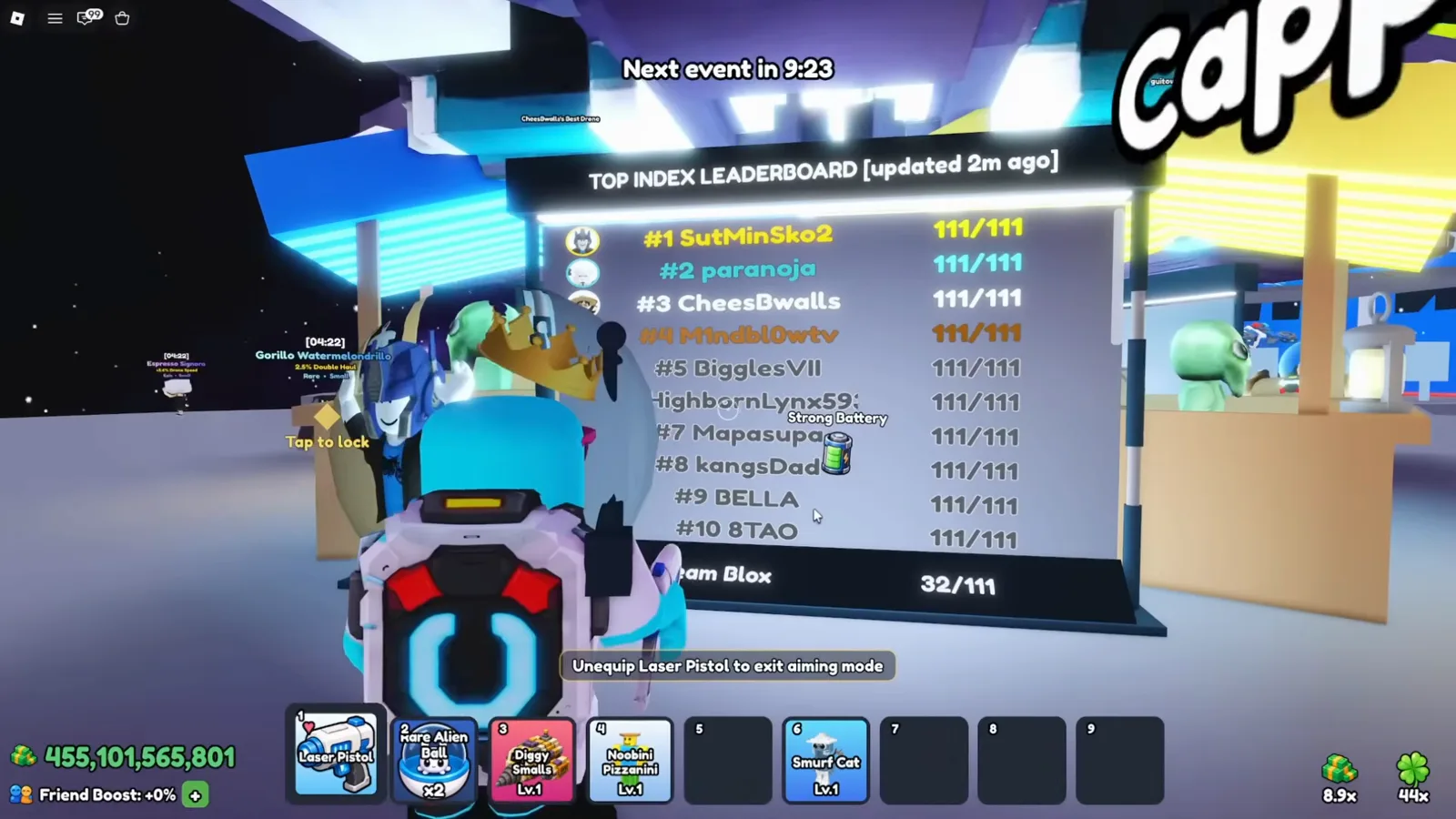
3:35 — the Index board is a different category from income and play time.Watch at 3:35 - 2
Make a missing-entry list from each Index tab
Open Index and inspect Drones, then the Regular, Event and Exclusive filters. The 16:09 screen mixes revealed drone cards with silhouettes and question marks, with progress rewards below. Note the gaps instead of buying another copy of a familiar drone. These filters and the separate Pets and Mutations categories explain why one screen’s denominator cannot be treated as the full game roster.
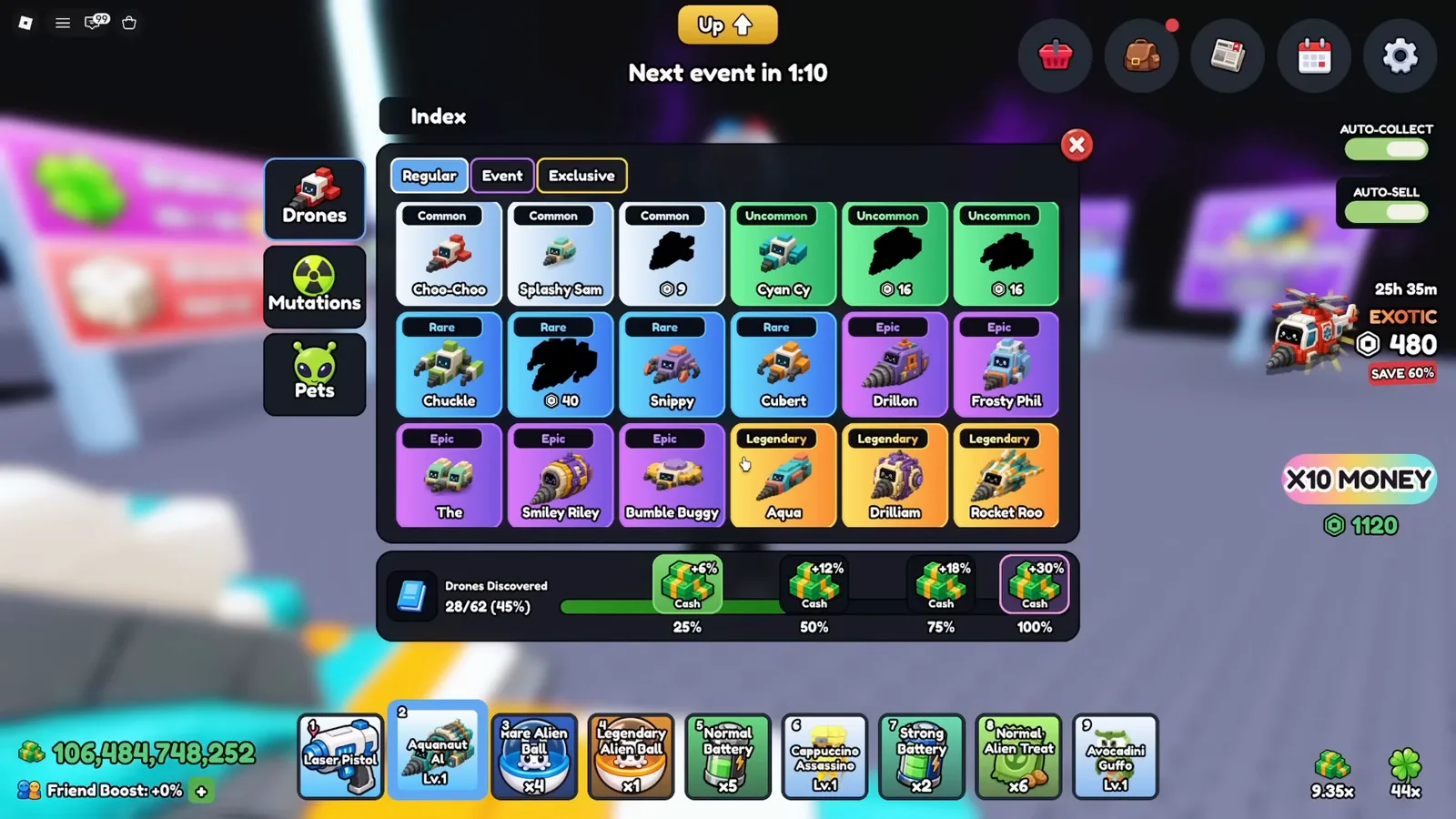
16:09 — compare entries within the same category and filter.Watch at 16:09 - 3
Choose manual rolls or the optional paid Auto Roll
At 9:05, a Roblox purchase prompt for Auto Roll appears over the target menu. The basic roll system is advertised as free, but this automation option is a separate purchase in the footage. You can keep a missing-entry checklist and roll manually. If you already own Auto Roll, continue with its target settings; do not assume the old prompt’s price or offer is current.
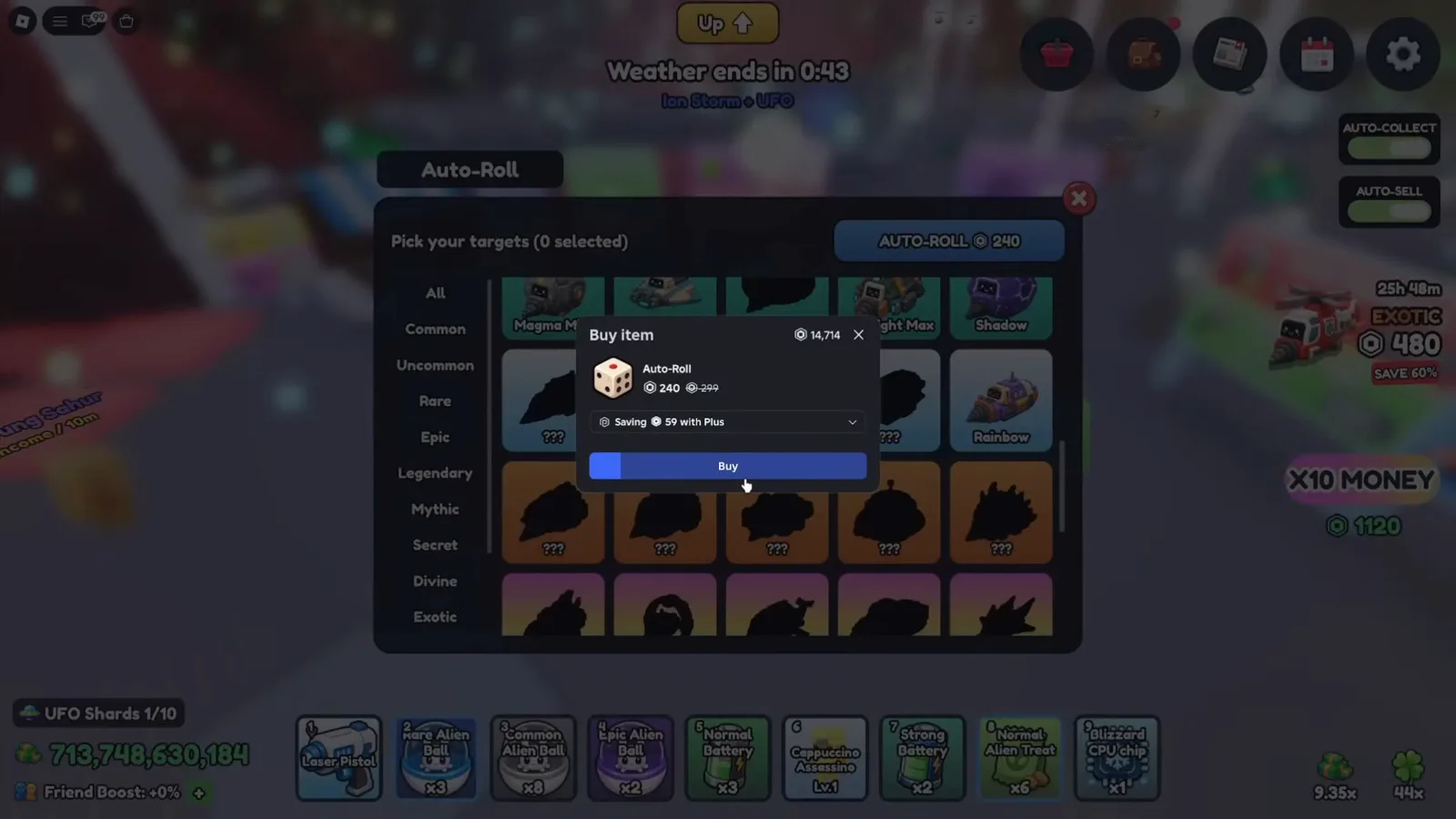
9:05 — this is a paid automation prompt, not a requirement for manual rolls.Watch at 9:05 - 4
Set targets you still need, then revise the list
The Auto Roll menu at 9:12 says Pick your targets and shows a selected count. Compare the cards with your Index and choose what you still need. Later, the creator removes acquired drones from this list. The menu sets stopping targets. Selecting a target is not evidence of improved odds or an automatic purchase; keep cash ready to buy a missing drone when it appears.
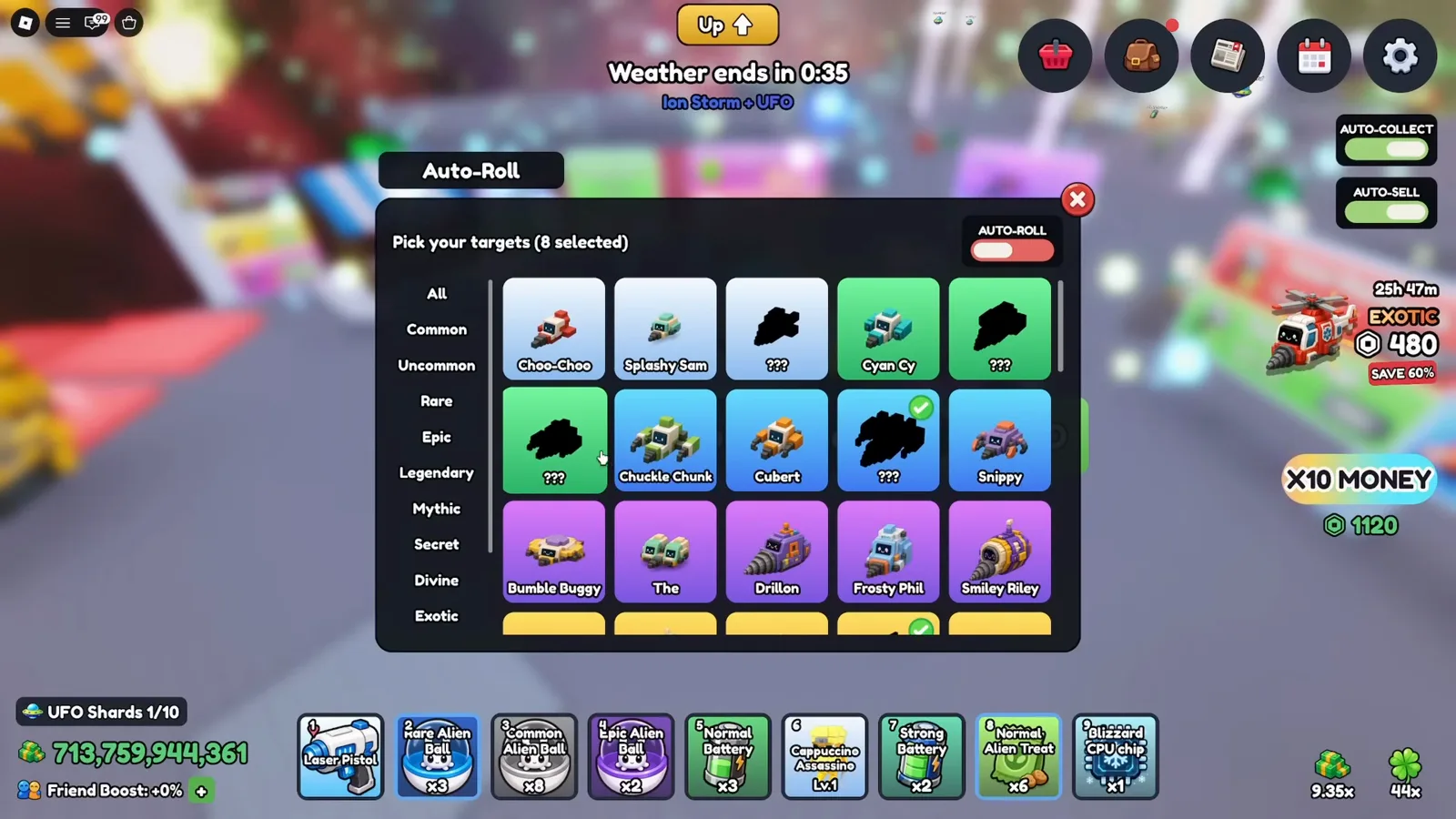
9:12 — target choices are a checklist, not a new probability table.Watch at 9:12 - 5
Buy the rolled drone before treating it as collected
At 5:00, Drone Purchased appears while the rolled drones remain on their pedestals. A roll reveals an offer; it is not the same as putting that drone in your bag. Read the current cash price and buy the missing drone you can afford, then reopen Index to check the result. Do not spend your whole budget on a duplicate just because its rarity looks impressive.
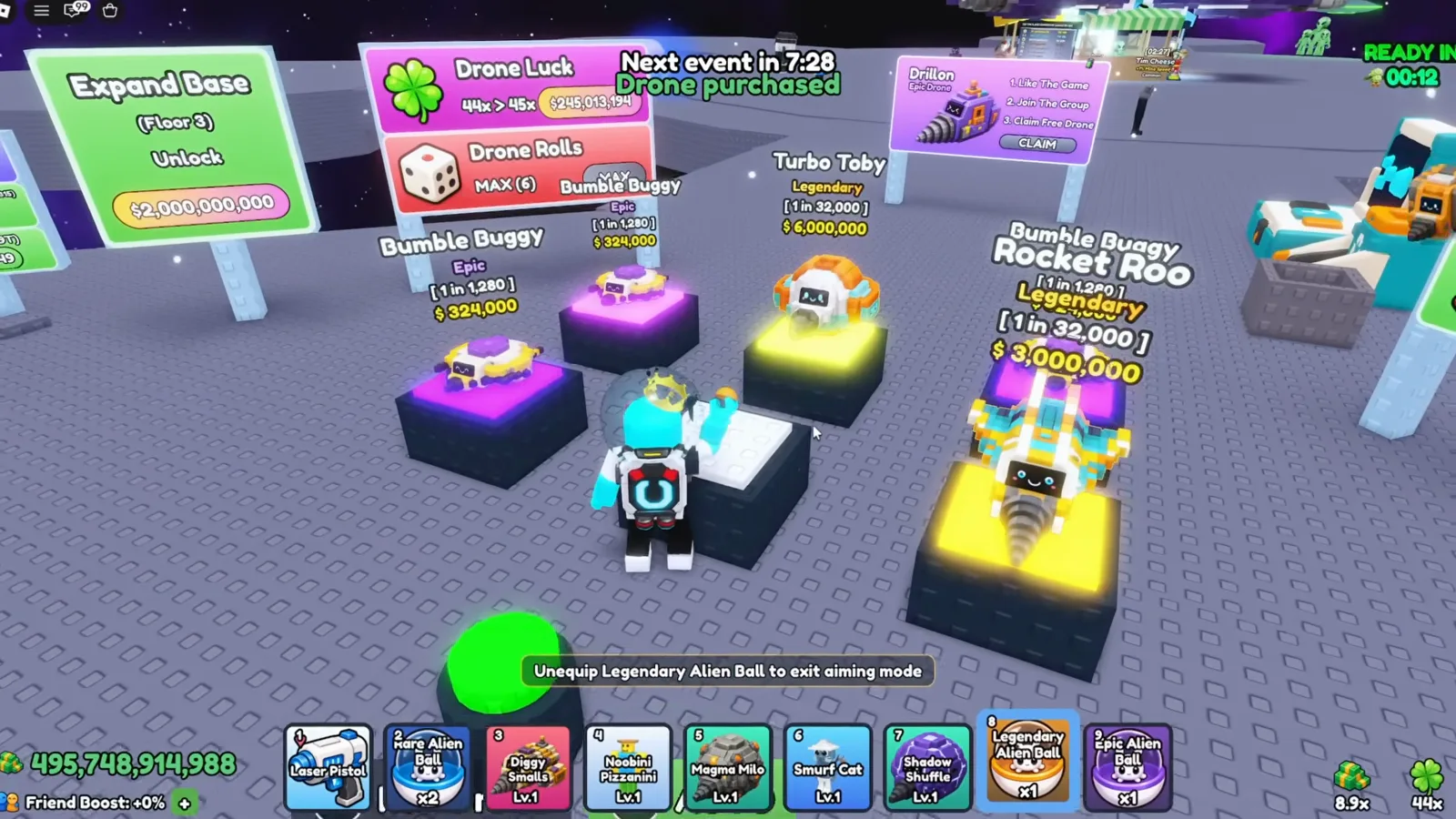
5:00 — rolling an offer and purchasing it are separate actions.Watch at 5:00 - 6
Read Fuse Machine help before using duplicates
The Fuse help panel at 3:50 illustrates four matching inputs, while the machine also has a separate Recycle tab. Inspect the current input slots, possible results, displayed chances and confirmation before submitting drones. A high-rarity icon is a possible outcome, not a promise. This guide does not establish a guaranteed Divine or Prismatic recipe, and it does not assume your inputs or mutations are returned.
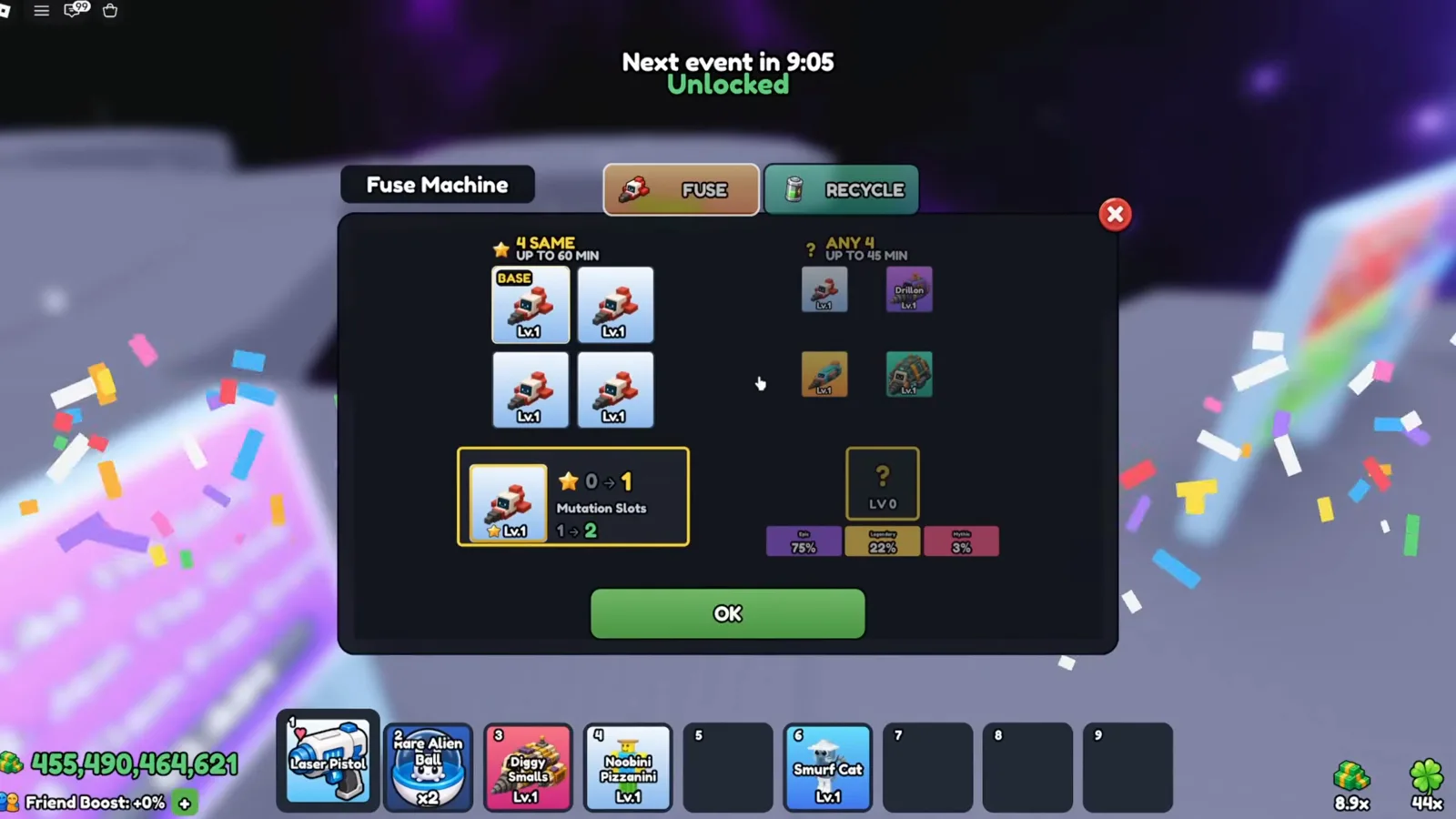
3:50 — read the live machine’s conditions instead of assuming a guaranteed upgrade.Watch at 3:50 - 7
Recheck Pets, Mutations and discovery rewards
At 19:33, the creator opens Mutations inside Index and Reward collected appears. Drones, Mutations and Pets have separate tabs; filling one list does not prove the others are finished. Review each category and its visible reward milestones after collecting something new. For missing pets or mutations, continue with the pet-capture guide and mutations page linked below.
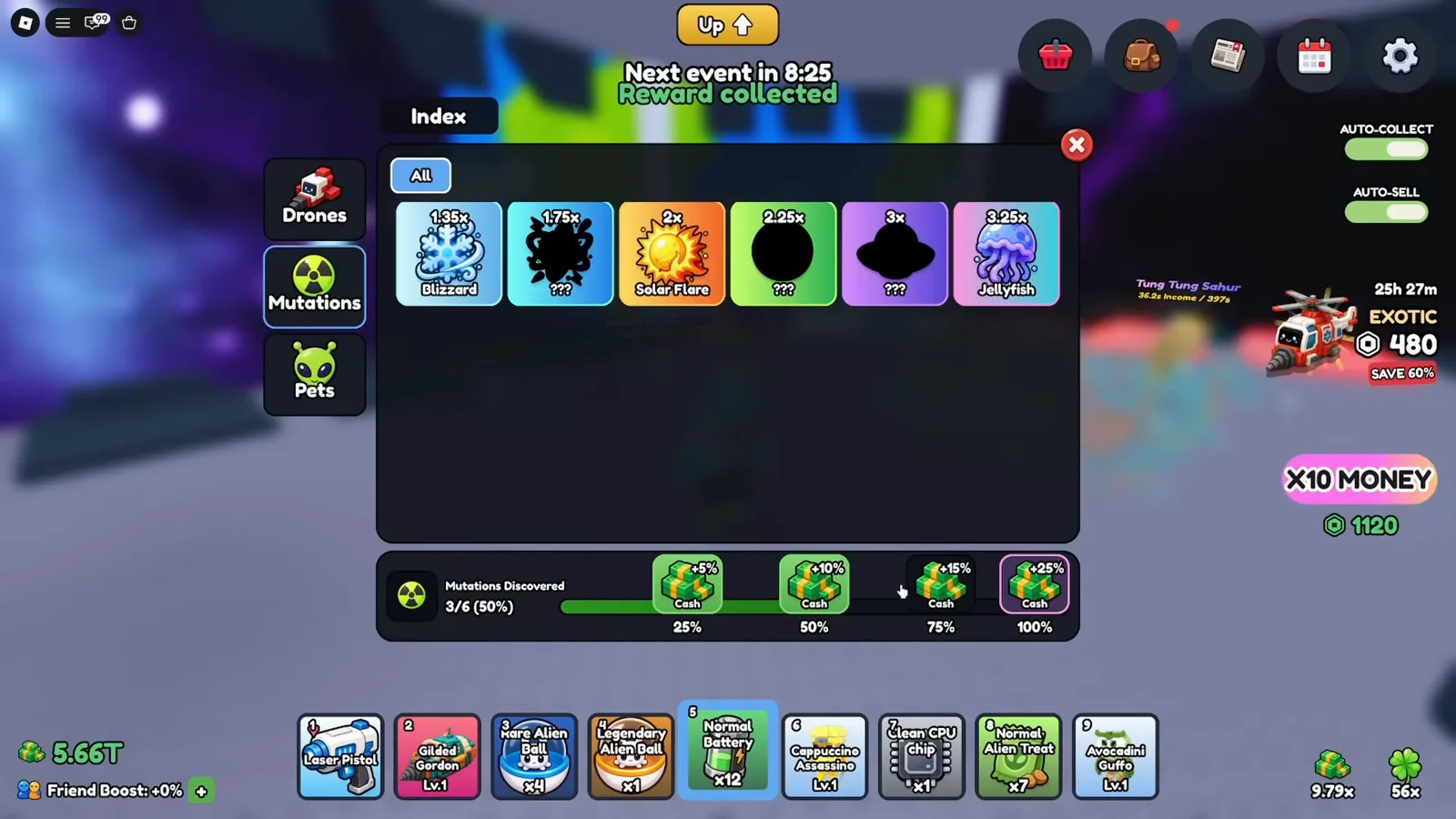
19:33 — discovery rewards and missing entries must be checked per category.Watch at 19:33
Index, Auto Roll and fusion questions
Why do the Index and leaderboard show different totals?
The recording shows a leaderboard category, Drones filters for Regular, Event and Exclusive, and separate Pets and Mutations tabs. They cover different sets of entries. Compare the same category and filter, and treat all recorded totals as dated UI observations rather than a current roster count.
Do I need to buy Auto Roll to work on the Index?
No paid step is required for the basic manual rolling described here. The developer advertises free rolls, while this recording shows a separate Roblox purchase for Auto Roll at 9:05. You can compare the Index with manual rolls; the optional automation uses a target list.
Does selecting an Auto Roll target improve its odds?
The observed menu controls which targets the creator wants the automation to stop for. It is not evidence of an odds boost or an automatic purchase. Keep enough cash to buy a missing drone after it appears and check the Index afterward.
Can the Fuse Machine guarantee Divine or Prismatic?
This footage does not establish a guaranteed recipe. It shows Fuse help, input slots and possible outcomes. Read the chances for your own selection and the confirmation before spending duplicates; a rare outcome icon alone is not a guarantee.
Does this guide show a finished collection or today’s ranking?
No. Kream Blox’s July 23, 2026 video shows an attempt to improve the collection and leaderboard position, not a completed Index. These dated screens explain the workflow. Current missing entries, rewards and rankings must be checked in your own server.
Keep the roster and the procedure separate
Explore More Tools
Reported Mine a Planet codes with dated sources. Redeem on your own account to confirm the current status before relying on a reward.
Tier ListEvery drone documented from the in-game Drone Index, banded by the game's own rarity ladder and the odds read off roll pedestals — not by invented stats.
CalculatorFree online Mine a Planet calculator for drone odds, evolution planning, and fleet income. Uses your inputs and labeled anchors, never invented rates.
Luck CalculatorTurn any 1-in-N drone rarity into expected rolls, expected time, and the chance of at least one pull within X attempts.