Best Beginner Upgrades in Mine a Planet — Get Rich Fast (Roblox)
Which upgrades to buy first in Mine a Planet: Drone Luck, Cargo, Mining Speed, Jetpack, play-time gifts and index bonuses - with in-game Roblox screenshots.
Last updated: 2026-07-30
Getting rich in Mine a Planet is mostly about buying the right upgrades in the right order, not grinding the wrong stat. This illustrated walkthrough follows a July 2026 beginner tips video (observed footage) and ranks what to spend cash on first: fleet stats (Cargo, Mining Speed, Planet Ore Value), Drone Luck once Drone Rolls caps, personal gear (Jetpack before Laser Pistol), then mid-game boosters and alien pets. Every price is read from your screen — Skydog Games has not published a cost table.
Source footage
Screenshots and steps are based on gameplay recorded by Ricoko Tutorial & Showcase · full video on YouTube
- 1
Prioritise Cargo and Mining Speed on the fleet boards
The creator's first cash sinks are the holographic boards near your dock — not the Robux sidebar. In observed footage the most important early stats are Cargo and Mining Speed; Dock Platforms and Dock Storage matter more after you unlock the second floor. Each board shows the current level, the next tier, and the cash price on a yellow tag — read your screen and buy whichever unblocks income first.
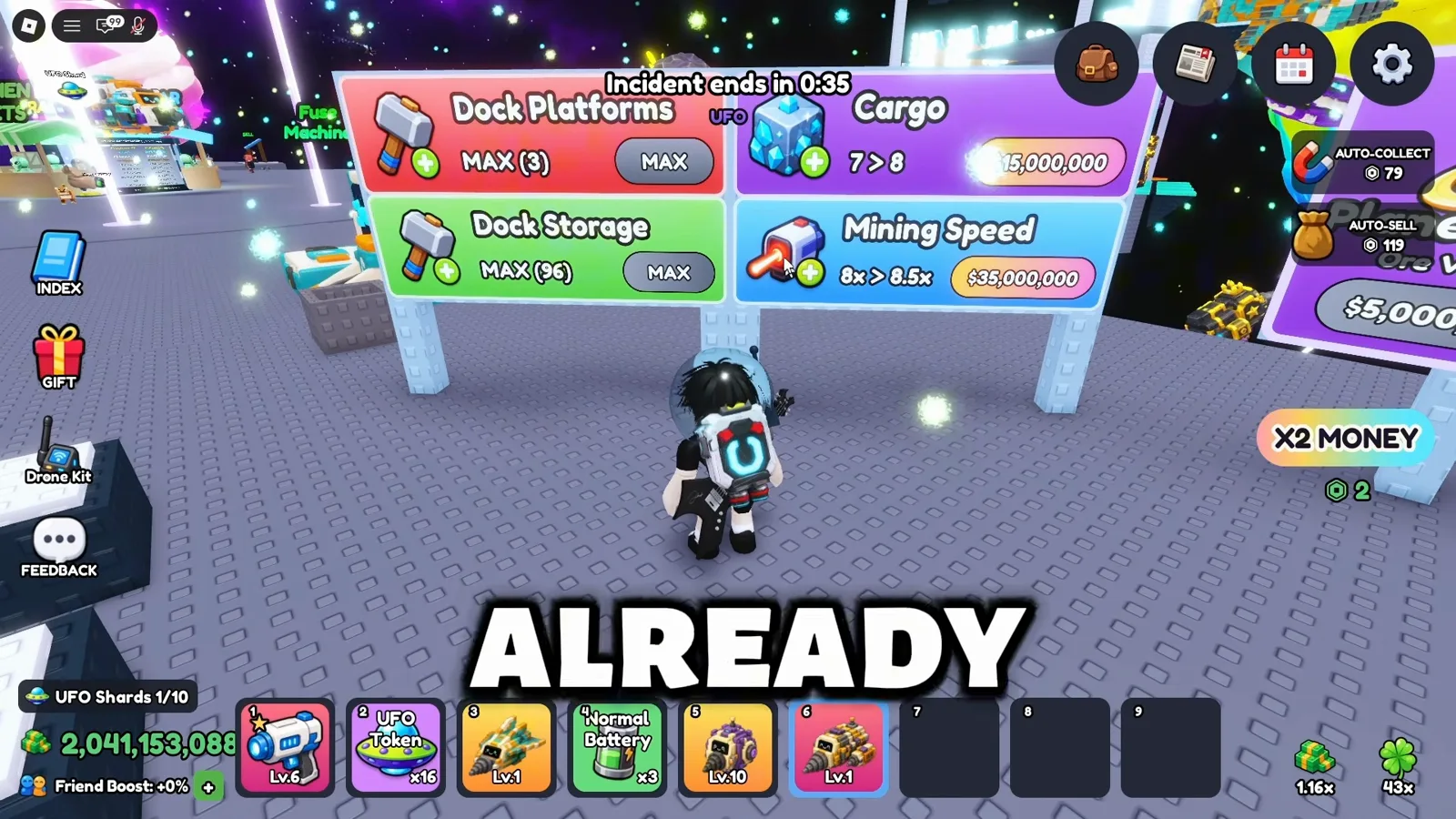
Fleet upgrade boards sit next to your dock — compare Cargo vs Mining Speed costs on your UI.Watch at 0:24 - 2
Save for Planet Upgrade when ore value tiers unlock
Planet Upgrade raises your Ore Value multiplier (e.g. x6 → x7 in observed footage). The sign shows the next tier and a cash price on your screen — often billions at mid-game. The creator calls this one of the most important long-term upgrades, but warns beginners not to rush it if cheaper fleet stats still have open tiers.
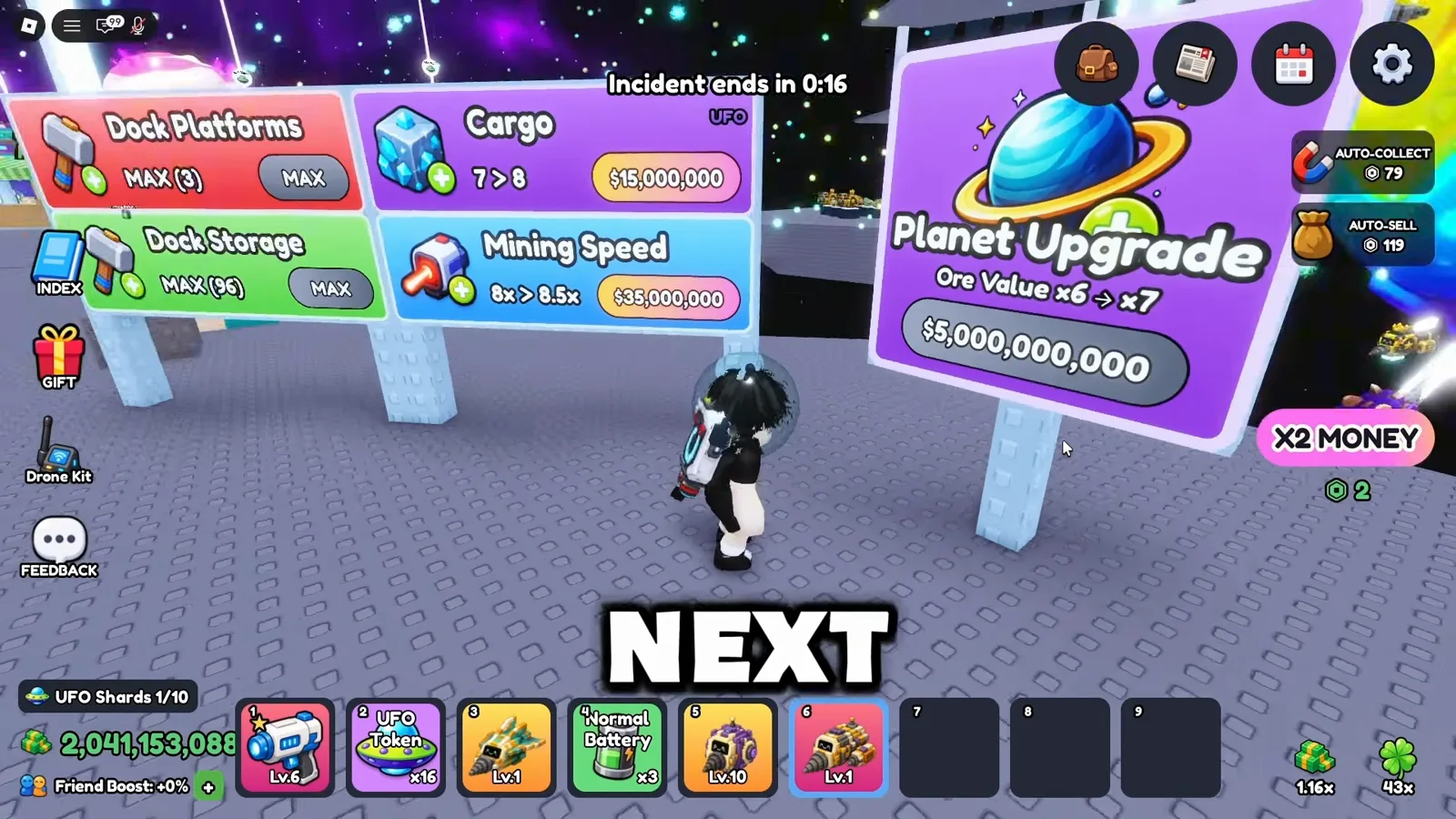
Planet Upgrade multiplies every ore sale — compare the price to your current income.Watch at 0:36 - 3
Cap Drone Rolls before pouring cash into Drone Luck
Early on, spend on Dock Platforms and Dock Storage to place more drones — the footage shows a 1 → 2 platform upgrade and a storage bump for a few hundred thousand cash. Once Drone Rolls hits its cap (the creator notes a level-six ceiling in their save), shift spare cash to Upgrade Drone Luck for better roll odds.
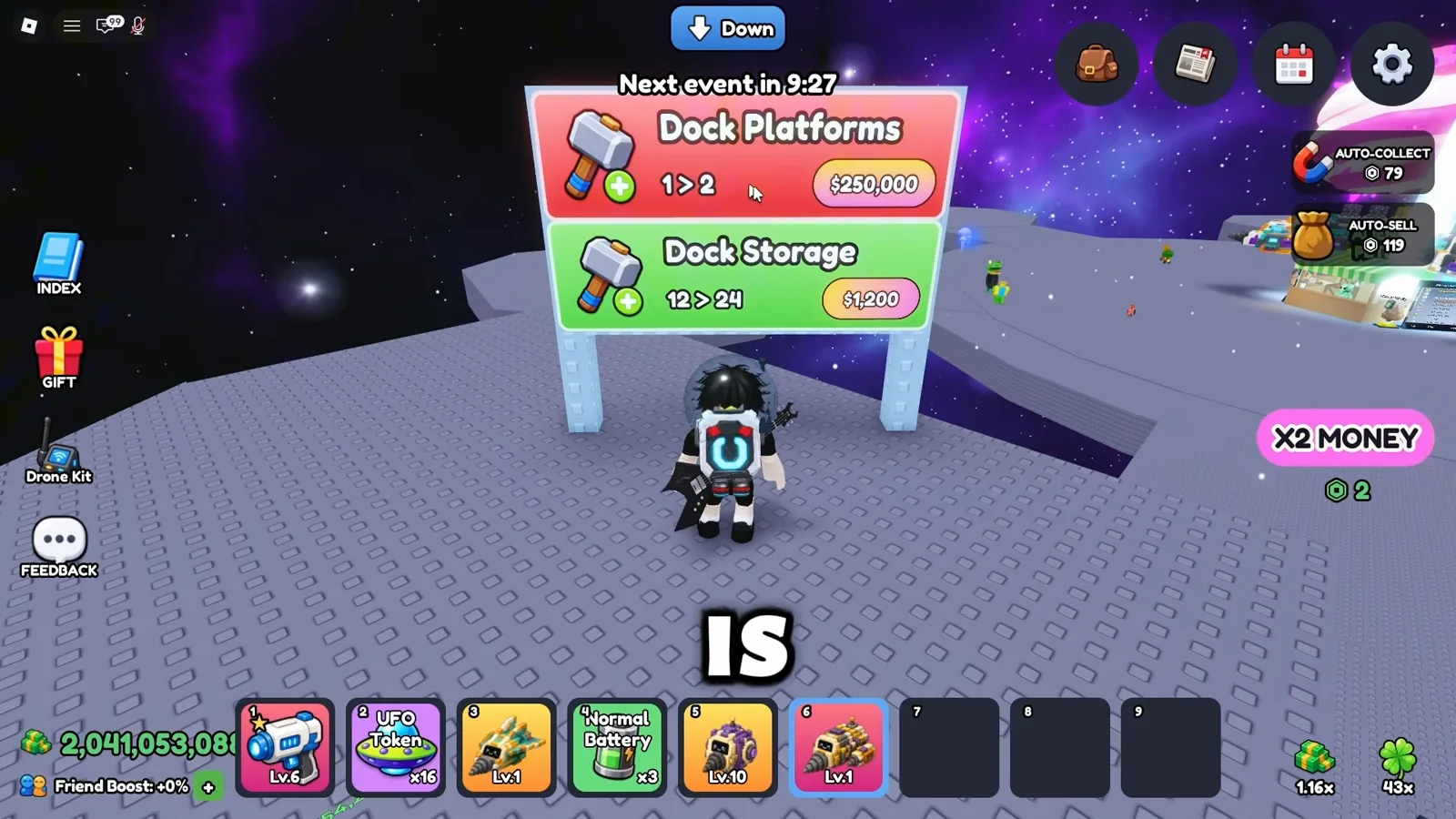
Extra dock slots matter early — Drone Luck comes after Rolls caps.Watch at 0:48 - 4
Discard weak drones instead of hoarding fleet slots
Open your inventory and walk to the Discard bin in the hub. The creator throws away an Epic-tier drone they are not using rather than keeping a full roster of weak units. Freeing slots lets you equip rarer drones that earn more per ore — check each drone's sell value and mining stats before you discard.
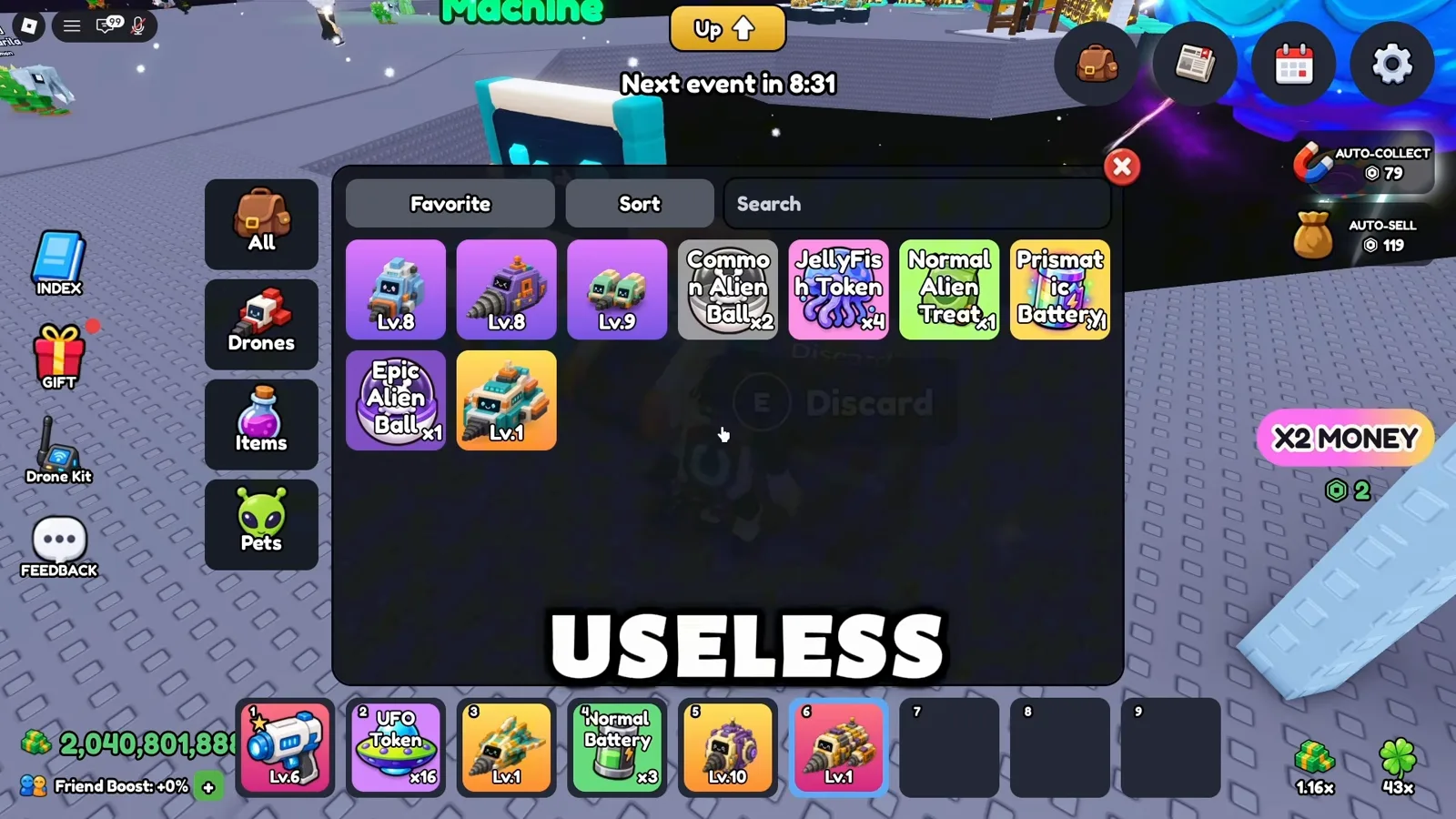
Discard drones you have replaced — do not let weak units block fleet slots.Watch at 1:12 - 5
Buy timed boosters at the Gear Shop sparingly
The blue Gear Shop sells Normal Batteries (short mining boost) and Clean CPU chips (remove a mutation from a drone). The creator treats these as temporary performance spikes, not permanent upgrades — save jellyfish-tier chips for your best drone later, because removing a mutation does not refund the item.
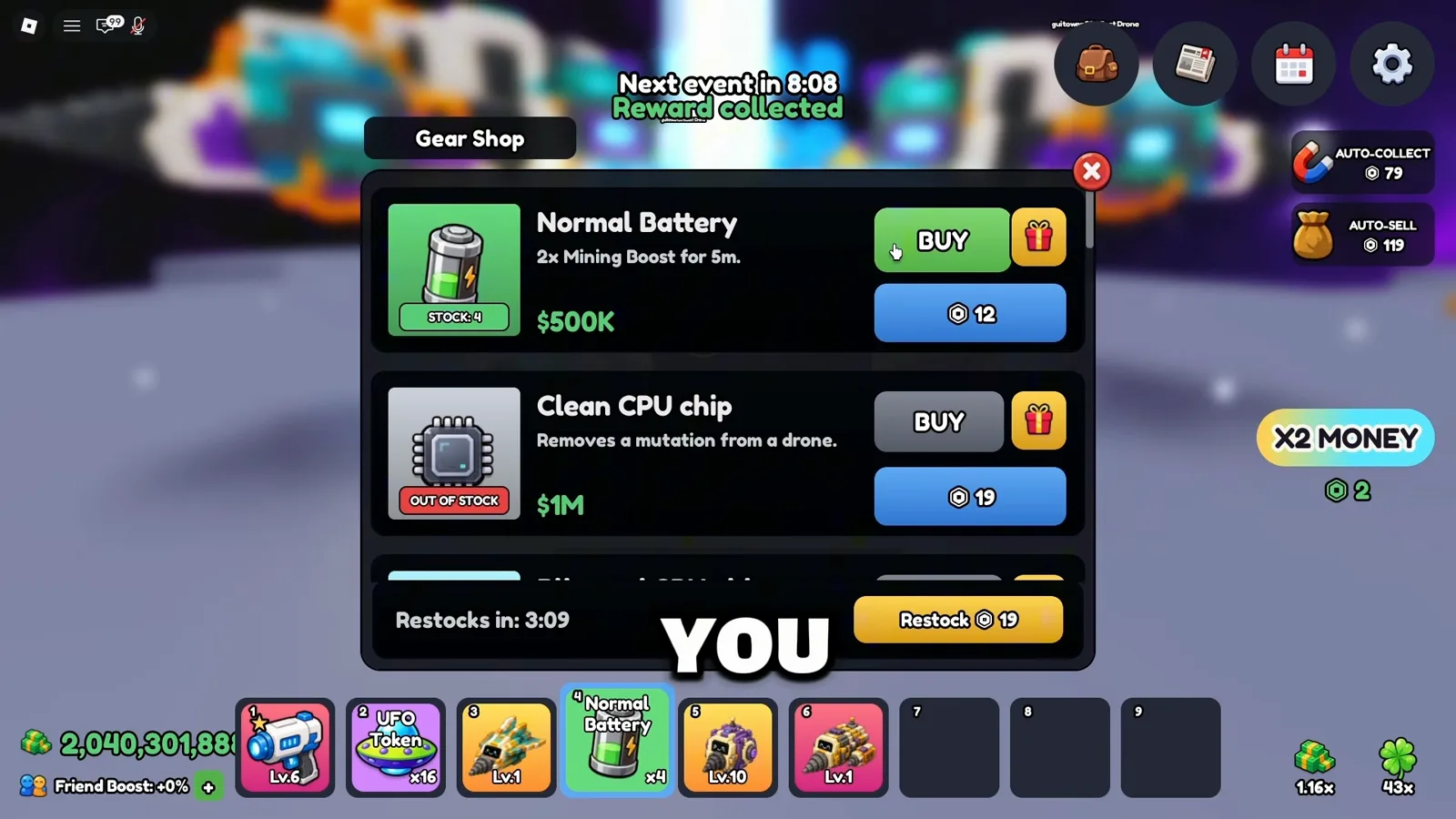
Gear Shop boosters are timed — do not waste premium chips on starter drones.Watch at 1:24 - 6
Faint roaming aliens, then throw an Alien Ball
Roaming aliens (e.g. brain-rat style pets in observed footage) appear in the hub. Damage one with your Laser Pistol until the catch prompt appears, then throw an Alien Ball from your hotbar. If you wait too long the alien despawns — the creator stresses beating it first, then catching immediately.
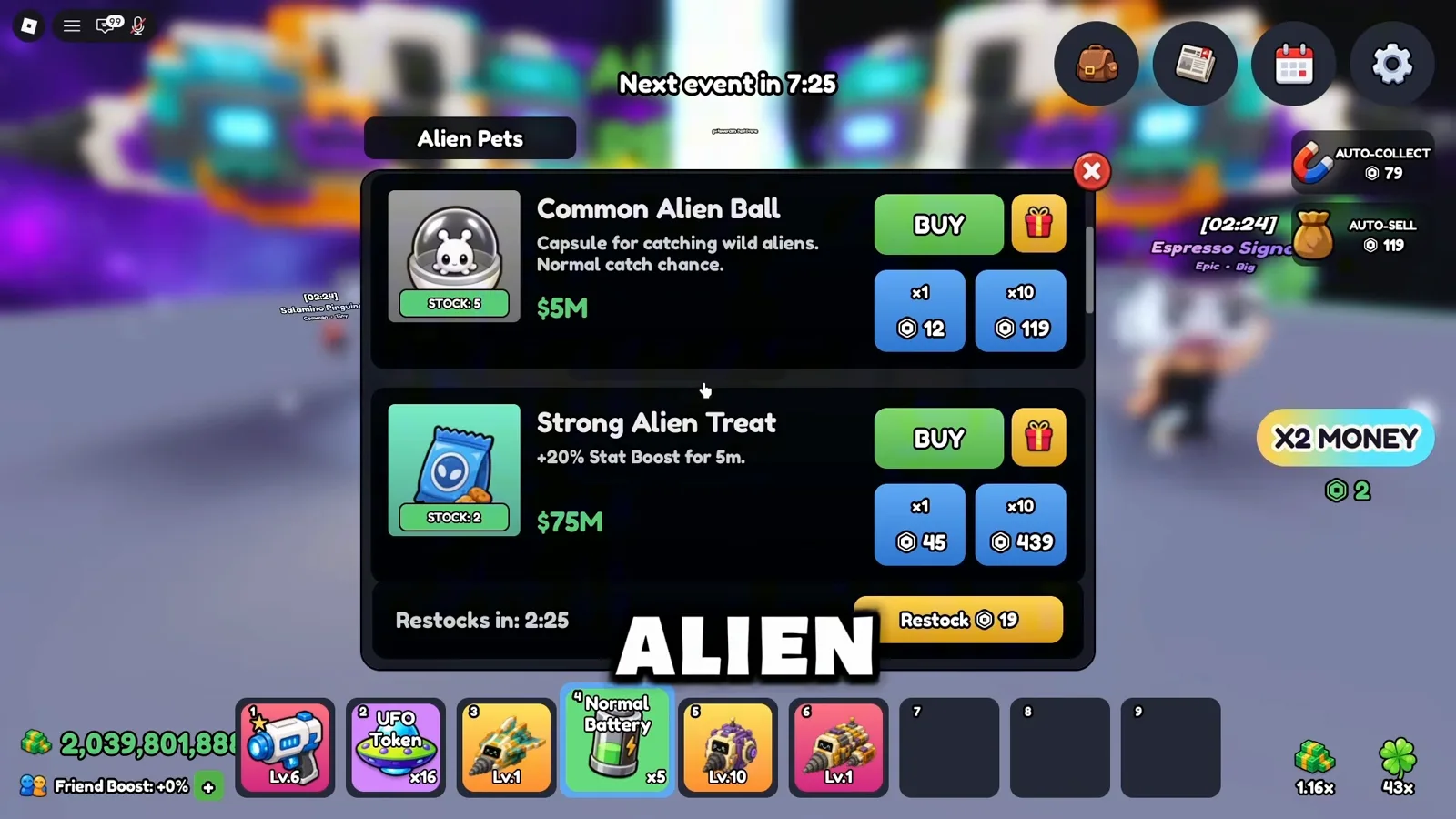
Faint the alien first — it disappears if you wait.Watch at 1:41 - 7
Upgrade Jetpack before Laser Pistol or Drone Kit
At the yellow Upgrade stall, the Upgrades menu lists Jetpack (ore carry cap), Laser Pistol (mining speed on foot), and Drone Kit (deployable follower drones). The creator upgrades Jetpack first for beginners because it raises how much ore you can carry while manually mining; Laser Pistol is mainly for fainting aliens.
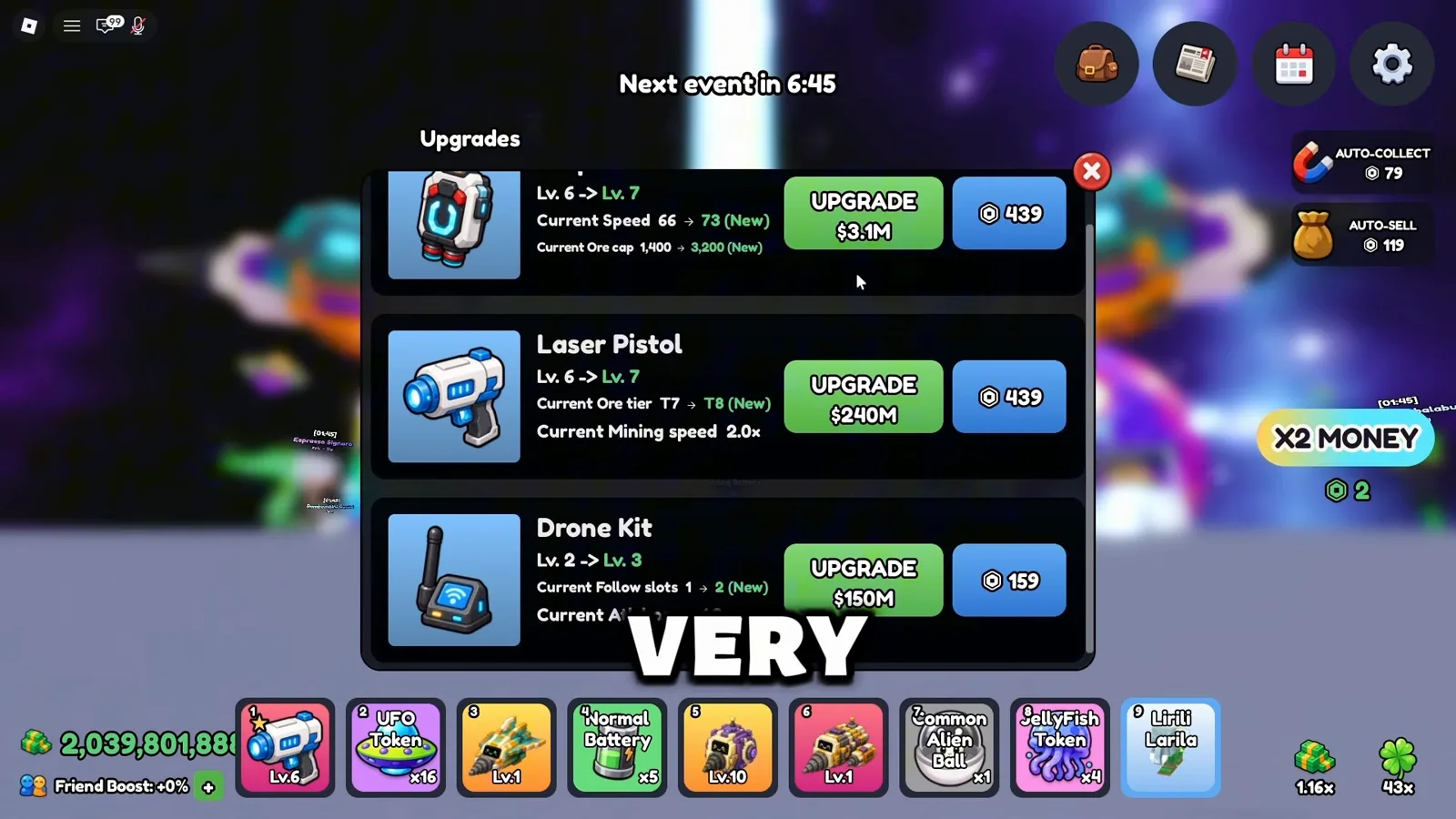
Jetpack first for manual mining income — Laser Pistol for alien catching.Watch at 2:12 - 8
Deploy Drone Kit followers for extra damage
After upgrading Drone Kit, hold a drone from inventory and press Deploy to place follower drones that attack alongside you. Higher Drone Kit levels unlock more deploy slots (the footage shows two active followers at level three). Use them for extra mining damage while your main fleet works the dock.
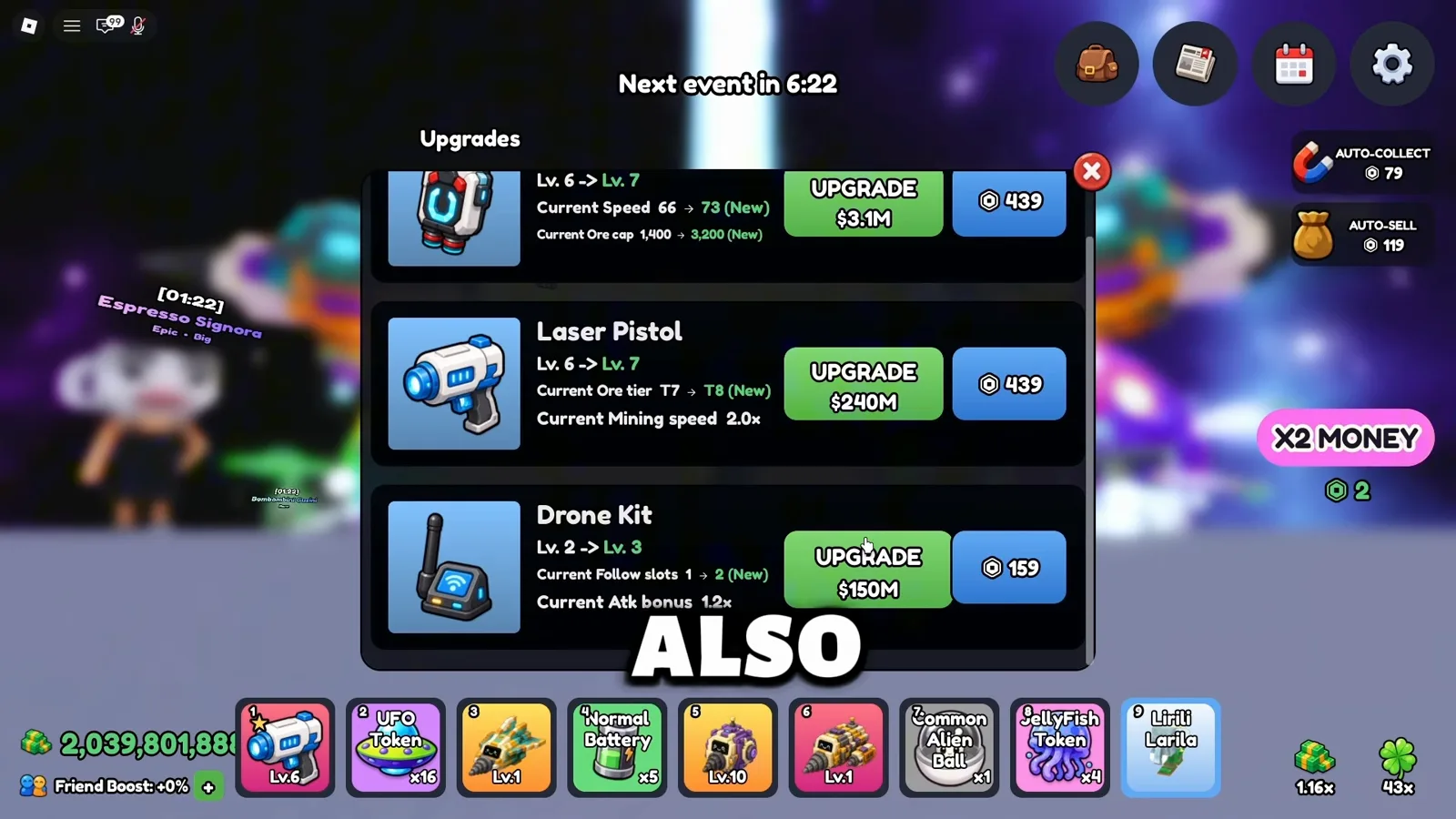
Drone Kit adds deployable followers — level it to unlock more slots.Watch at 2:26
Beginner upgrade FAQ
Should I upgrade Drone Luck or Cargo first?
Cargo and Mining Speed first — they keep ore moving while Drone Rolls is still climbing. Once Rolls hits its cap in your save, pour spare cash into Drone Luck. Compare prices on your upgrade boards; the cheaper income bump wins.
Is Planet Upgrade worth it early?
It is one of the strongest multipliers long-term, but prices reach billions in observed footage. Upgrade cheap fleet stats and Jetpack first; buy Planet Upgrade when your per-minute income matches the price tag on your screen.
Should beginners buy extra Dock Platforms?
The creator suggests prioritising rarer drones over spamming dock slots early — a better drone earns more per trip than a weak one on an extra pad. After you reach the second floor, Dock Platforms and Dock Storage become more valuable. Read costs on your UI before buying.
Useful next steps
Explore More Tools
The four things you can upgrade in Mine a Planet, what each one actually does, and how to decide the order without any published cost table.
How to Roll Drones in Mine a Planet (Roblox)Roll new drones, sell ore for cash, and spend it on Mining Speed and Cargo upgrades in Mine a Planet - illustrated with in-game Roblox screenshots.
How to Get Mutations in Mine a Planet (Roblox)Mine a Planet mutations, frame by frame from July 2026 footage (updated 2026-08-30): Gear Shop restock timers and the tap-a-drone-dock step that applies one.
MoneyImprove your Mine a Planet money routine with dated screenshots: check storage, pet boosts and Index rewards, then measure cash before your next upgrade.